Discord Alerts Beta
Send FlareWarden alerts to a Discord channel as native embeds. Pick Discord as the destination, paste a webhook URL, and alerts show up color-coded in your server.
What You Get
Native embeds with severity colors
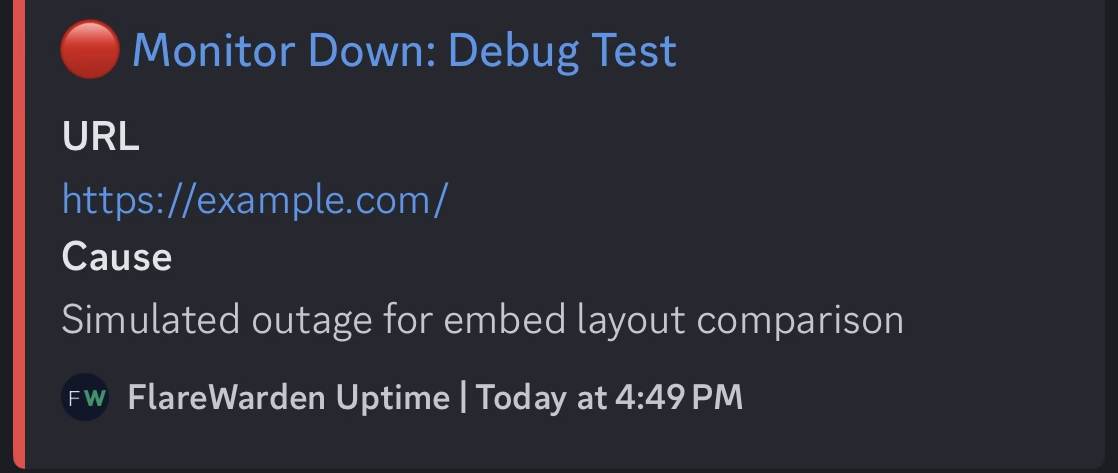
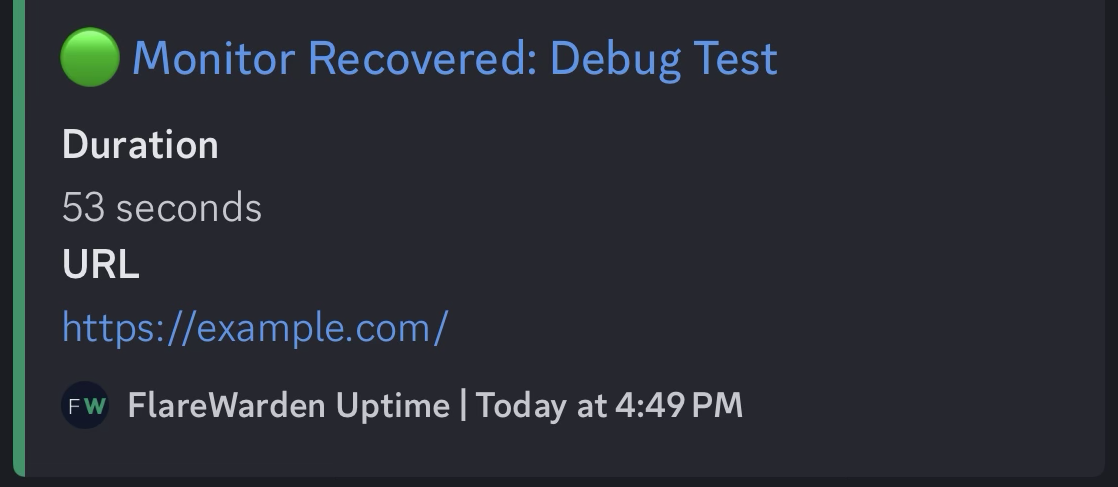
Incident, SSL, DNS, and anomaly alerts arrive as Discord embeds posted by a FlareWarden bot user: a clear title, the facts that matter, timestamps rendered in each reader's local time, and a color strip that tells you the severity at a glance.
| Embed Color | Means |
|---|---|
| Red | Critical — monitor down, SSL expired, DNS failure |
| Amber | Warning — monitor degraded, SSL expiring soon, anomaly detected |
| Emerald | Recovered — monitor back up, DNS recovered, anomaly resolved |
| Teal | Informational — SSL certificate changed, test messages |
Setup
About two minutes, start to finish
Open your server's webhook settings
In Discord, go to Server Settings → Integrations → Webhooks
Create a webhook
Click New Webhook and pick the channel that should receive alerts
Copy the webhook URL
Click Copy Webhook URL
Add a Discord destination in FlareWarden
In FlareWarden, go to Integrations, click Add Webhook, and choose Discord
Paste the URL and save
Give it a name, pick which events and monitors it covers, and save
Send a test
Use the Send test button — a test embed appears in your channel within seconds, and FlareWarden tells you if Discord rejected the URL
Webhook URL Format
What a valid Discord webhook URL looks like
https://discord.com/api/webhooks/000000000000000000/XXXXXXXXXXXXXXXXXXXXXXXXXXXXXXXXXXXXXXXXXXXXXXXXXXXXXXXXXXXXXXXX
- Pasted the
/slack-suffixed variant of the URL? No problem — FlareWarden strips the suffix and sends native Discord embeds, which look better than the Slack-compatibility mode. - Webhooks that post into threads work too — alerts land wherever the webhook is pointed.
discordapp.comand PTB/Canary URLs are accepted as well.
Which Events Fire
Every alert type FlareWarden sends to Discord
Incidents
incident.started
- Monitor went down or degraded
incident.recovered
- Monitor came back up, with downtime duration
SSL Certificates
ssl.expiring -
Certificate expiring soon
ssl.expired -
Certificate has expired
ssl.changed -
Certificate was replaced
DNS
dns.failed - DNS
check failed or records changed unexpectedly
dns.recovered
- DNS check recovered
Anomalies
anomaly.detected
- Response time drifted from the learned baseline
anomaly.resolved
- Response time returned to normal
Testing
test - Sent
when you click Send test
Troubleshooting
The things that come up
"URL must be a Discord webhook URL"
Make sure you copied the URL with Copy Webhook URL from Server Settings → Integrations → Webhooks — channel links and invite links won't work.
Embeds stopped arriving
If the webhook was deleted in Discord, deliveries fail with a 404 — check the delivery history on the destination in FlareWarden. A refused delivery is not retried; you can retry it manually from the history view. After 10 refusals in a row (25 if the webhook has delivered before) FlareWarden turns the webhook off and emails the account owner. Re-create the webhook in Discord, update the URL and turn it back on.
Rate limits
Discord allows roughly five requests every two seconds per webhook — far above what alerting produces. If Discord ever returns a rate-limit response, the delivery goes into the normal retry queue and arrives moments later.
Team on Slack, Google Chat or Microsoft Teams instead? See the Slack, Google Chat or Microsoft Teams alerts guide. To send signed JSON to your own endpoint, use a custom webhook.